VerifiedKeyless
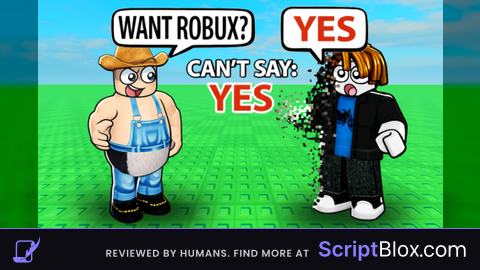
Lets you say your word UNPATCHABLE
 Tomato 4 years ago 377K views 3
Run it
Copy the script and paste it into your executor.
Lets you say your word UNPATCHABLE.lua · 58 lines
-- Gui to Lua
-- Version: 3.2

-- Instances:

local ScreenGui = Instance.new("ScreenGui",game.CoreGui)
local Frame = Instance.new("ImageLabel")
local TextBox = Instance.new("TextBox")
local TextButton = Instance.new("TextButton")

--Properties:

Frame.Name = "Frame"
Frame.Parent = ScreenGui
Frame.BackgroundColor3 = Color3.fromRGB(90, 90, )
Frame.BackgroundTransparency =
Frame.Position = .(, , , )
Frame.Size = .(, , , )
Frame.Image =
Frame.ImageColor3 = .(, , )
Frame.ScaleType = .ScaleType.Slice
Frame.SliceCenter = Rect.(, , , )
Frame.SliceScale =

TextBox.Parent = Frame
TextBox.BackgroundColor3 = .(, , )
TextBox.Position = .(, , , )
TextBox.Size = .(, , , )
TextBox.Font = .Font.SourceSans
TextBox.PlaceholderColor3 = .(, , )
TextBox.PlaceholderText =
TextBox.Text =
TextBox.TextColor3 = .(, , )
TextBox.TextSize =

TextButton.Parent = Frame
TextButton.BackgroundColor3 = .(, , )
TextButton.Position = .(, , , )
TextButton.Size = .(, , , )
TextButton.Font = .Font.SciFi
TextButton.Text =
TextButton.TextColor3 = .(, , )
TextButton.TextSize =
TextButton.TextWrapped =


  ()
	  = .(, Frame)

	.Parent.Active =
	.Parent.Draggable =
	.Parent.TextButton.Activated:(()
		:().DefaultChatSystemChatEvents.SayMessageRequest:(.Parent.TextBox.Text, )
	)

.(JXBX_fake_script)()
About this script
type message then press bypass Nerd Explanation: Since it directly fires the remote it doesn't send the network packet that triggers the .Chatted event server-side meaning the script on the server that kicks you for saying the word never knows you said it :)