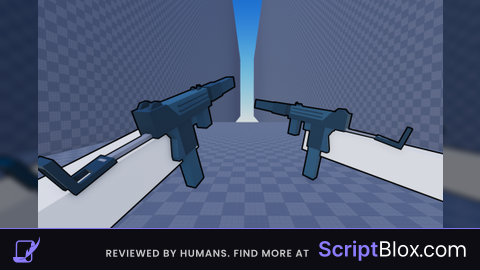
Keyless
script
 antoniomorante991 1 year ago 4.1K views
Run it
Copy the script and paste it into your executor.
script.lua · 59 lines
-- Main GUI
local screenGui = Instance.new("ScreenGui")
screenGui.Name = "MainGUI"
screenGui.ResetOnSpawn = false
screenGui.Parent = game.Players.LocalPlayer:WaitForChild("PlayerGui")

-- Toggle Button (X) - separate from frame
local toggleBtn = Instance.new("TextButton", screenGui)
toggleBtn.Size = UDim2.new(0, 30, 0, 30)
toggleBtn.Position = UDim2.(, -, , )
toggleBtn.Text =
toggleBtn.BackgroundColor3 = .(, , )
toggleBtn.TextColor3 = .(, , )


 frame = .(, screenGui)
frame.Size = .(, , , )
frame.Position = .(, , , )
frame.BackgroundColor3 = .(, , )
frame.BorderSizePixel =
frame.Active =
frame.Draggable =

toggleBtn.MouseButton1Click:(()
    frame.Visible =  frame.Visible
)


 buttonNames = {, , , , }
 buttons = {}

 i, name  (buttonNames)
     btn = .(, frame)
    btn.Size = .(, , , )
    btn.Position = .(, ,  + (i-)*, )
    btn.Text = name
    btn.Name = name
    btn.BackgroundColor3 = .(, , )
    btn.TextColor3 = .(, , )
    buttons[name] = btn


 wsSlider = .(, frame)
wsSlider.Size = .(, , , )
wsSlider.Position = .(, , , )
wsSlider.Text =
wsSlider.BackgroundColor3 = .(, , )
wsSlider.TextColor3 = .(, , )


 jpSlider = .(, frame)
jpSlider.Size = .(, , , )
jpSlider.Position = .(, , , )
jpSlider.Text =
jpSlider.BackgroundColor3 = .(, , )
jpSlider.TextColor3 = .(, , )
About this script
Best script for GUN GROUNDS FFA