Keyless
Super Hub
 jeuuworld 1 year ago 40K views 3
Run it
Copy the script and paste it into your executor.
Super Hub.lua · 223 lines
 Players = :()
 UIS = :()
 LocalPlayer = Players.LocalPlayer


 SUPPORTED_GAME_ID =
 .PlaceId ~= SUPPORTED_GAME_ID
     ScreenGui = .(, .CoreGui)
    ScreenGui.Name =

     Message = .(, ScreenGui)
    Message.Size = .(, , , )
    Message.Position = .(, -, , -)
    Message.BackgroundColor3 = .(, , )
    Message.TextColor3 = .(, , )
    Message.Text =
    Message.Font = .Font.GothamBold
    Message.TextSize =
    Message.TextWrapped =
    Message.ZIndex =


 SuperHub = .()
SuperHub.Name =
SuperHub.ResetOnSpawn =
SuperHub.Parent = .CoreGui


 greeting = .()
greeting.Size = .(, , , )
greeting.Position = .(, -, , -)
greeting.BackgroundTransparency =
greeting.TextColor3 = .(, , )
greeting.Text =
greeting.Font = .Font.GothamBold
greeting.TextSize =
greeting.Parent = SuperHub
greeting.TextStrokeTransparency =


 Frame = .()
Frame.Name =
Frame.Size = .(, , , )
Frame.Position = .(, -, , -)
Frame.BackgroundColor3 = .(, , )
Frame.BorderSizePixel =
Frame.Visible =
Frame.Parent = SuperHub
Frame.ZIndex =

 UICorner = .()
UICorner.CornerRadius = .(, )
UICorner.Parent = Frame

 UIStroke = .()
UIStroke.Thickness =
UIStroke.Color = .(, , )
UIStroke.Parent = Frame

 backgroundImage = .()
backgroundImage.Parent = Frame
backgroundImage.Size = .(, , , )
backgroundImage.Position = .(, , , )
backgroundImage.Image =
backgroundImage.BackgroundTransparency =
backgroundImage.ZIndex =


  (name, position, callback)
     button = .()
    button.Size = .(, , , )
    button.Position = position
    button.BackgroundColor3 = .(, , )
    button.TextColor3 = .(, , )
    button.Font = .Font.GothamBold
    button.TextSize =
    button.Text = name
    button.Parent = Frame
    button.ZIndex =
    button.MouseButton1Click:(callback)


(, .(, , , ), ()
     char = LocalPlayer.Character  LocalPlayer.CharacterAdded:()
     hrp = char:()
     targetPos = .(,  + , -)
    hrp.CFrame = .(targetPos)
)

(, .(, , , ), ()
    (:())()
)

(, .(, , , ), ()
    (:())()
)

(, .(, , , ), ()
    (:(, ))()
)

(, .(, , , ), ()
    (()
        (:(, ))()
    )
)


 TPGui = .()
TPGui.Size = .(, , , )
TPGui.Position = .(, , , )
TPGui.BackgroundColor3 = .(, , )
TPGui.Parent = Frame
TPGui.ZIndex =

 TPCorner = .()
TPCorner.CornerRadius = .(, )
TPCorner.Parent = TPGui

 TextBox = .()
TextBox.Size = .(, -, , )
TextBox.Position = .(, , , )
TextBox.PlaceholderText =
TextBox.Text =
TextBox.BackgroundColor3 = .(, , )
TextBox.TextColor3 = .(, , )
TextBox.Font = .Font.Gotham
TextBox.TextSize =
TextBox.Parent = TPGui
TextBox.ZIndex =

 TPButton = .()
TPButton.Size = .(, -, , )
TPButton.Position = .(, , , )
TPButton.Text =
TPButton.BackgroundColor3 = .(, , )
TPButton.TextColor3 = .(, , )
TPButton.Font = .Font.SourceSansBold
TPButton.TextSize =
TPButton.Parent = TPGui
TPButton.ZIndex =

TPButton.MouseButton1Click:(()
     displayNameInput = TextBox.Text:()
     targetPlayer =

     _, player  (Players:())
         player.DisplayName:() == displayNameInput
            targetPlayer = player


     targetPlayer  targetPlayer.Character  targetPlayer.Character:()
         targetPos = targetPlayer.Character.HumanoidRootPart.Position
         hrp = LocalPlayer.Character  LocalPlayer.Character:()
         hrp
            hrp.CFrame = .(targetPos + .(, , ))


        ()

)


  (guiFrame)
     dragging, dragInput, dragStart, startPos

      (input)
         delta = input.Position - dragStart
        guiFrame.Position = .(
            startPos.X.Scale,
            startPos.X.Offset + delta.X,
            startPos.Y.Scale,
            startPos.Y.Offset + delta.Y
        )


    guiFrame.InputBegan:((input)
         input.UserInputType == .UserInputType.Touch
            dragging =
            dragStart = input.Position
            startPos = guiFrame.Position

            input.Changed:(()
                 input.UserInputState == .UserInputState.End
                    dragging =

            )

    )

    guiFrame.InputChanged:((input)
         input.UserInputType == .UserInputType.Touch
            dragInput = input

    )

    UIS.InputChanged:((input)
         input == dragInput  dragging
            (input)

    )


(Frame)


UIS.InputBegan:((input, processed)
      processed  input.KeyCode == .KeyCode.RightControl
        Frame.Visible =  Frame.Visible

)


.(, ()
    greeting:()
)
Loads code from the internet. It downloads more code when it runs (loadstring + HttpGet), which can change after it was posted. From: raw.githubusercontent.com, scriptblox.com.
About this script
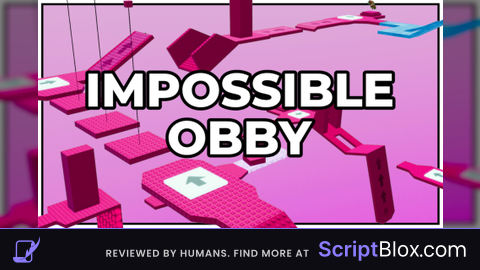
⭐ Super Hub – Made for IMPOSSIBLE Obby to Heaven ⭐ Super Hub is a custom-built GUI made only for the game IMPOSSIBLE Obby to Heaven! With a sleek neon-blue and yellow theme and troll-style vibes, this hub gives you powerful tools to dominate the obby with ease or mess around just for fun. 💥 Features: 🚀 TP to the End – Instantly teleport to the top of the tower 🕊️ Fly GUI V3 – Fly anywhere with full control 🌀 Troll Tools – Fling, punch, and teleport to players 🎮 Display Name TP – Just type a display name and teleport to them 🧠 Smart Game Check – Works only in this game, others show: GAME NOT SUPPORTED! 👋 Hello Message – Clean intro UI when the hub launches 🎛️ Right Ctrl Toggle – Press Right Ctrl to open or close at any time