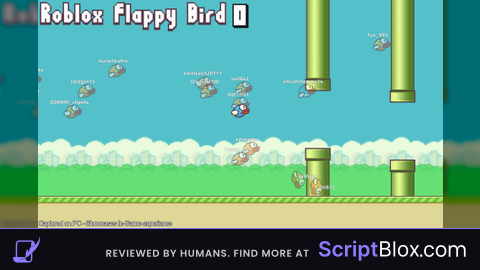
Keyless
OP Auto Play Configurable
 Pidarchik 11 months ago 18K views 3
Run it
Copy the script and paste it into your executor.
OP Auto Play Configurable.lua · 19 lines
--[[
	Flappy Bird Autoplay made by neex
	1. Execute The Script
	2. Click just once for the game to start
	3. It will auto play after the first click
]]
getgenv().show_closest_pipe = true -- visualizes closest pipe with red color
local base_debounce = 0.3
-- here are speed multipliers, adjust them if needed (speed multiplier that you can change in settings)
getgenv().configuration = {
	['1'] = base_debounce;
	['1.25'] = base_debounce;
	['1.5'] = base_debounce-0.05;
	['1.75'] = base_debounce-0.1;
	['2'] = base_debounce-0.12;
	['2.25'] = base_debounce-0.25;
	['2.5'] = base_debounce-2;
}
loadstring(game:HttpGet('https://raw.githubusercontent.com/konoSubaraship/roblox_scripts/refs/heads/main/games/flappy_bird/auto_play.luau'))()
Loads code from the internet. It downloads more code when it runs (loadstring + HttpGet), which can change after it was posted. From: raw.githubusercontent.com.
About this script
https://discord.gg/wXdsxBGdZx https://discord.gg/wXdsxBGdZx In the script you can adjust configuration table. This table is meant for debounce that it will detect next pipe after passing another. The code is open source if you understand lua enough to improve it go ahead.