Keyless
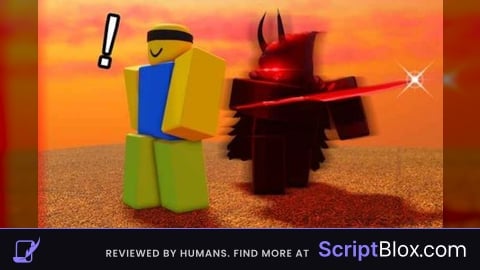
Cool Script Invisible Slayer Rounds (Updated)
 SkibidigionSpyMega 9 months ago 8.9K views 3
Run it
Copy the script and paste it into your executor.
Cool Script Invisible Slayer Rounds Updated.lua · 177 lines
 TOP_HEIGHT =
 TARGET_PART_NAME =
 TAG_NAME =
 CREATED_BRICK_TAG =

 CollectionService = :()
 Players = :()
 RunService = :()
 UserInputService = :()
 TweenService = :()

 localPlayer = Players.LocalPlayer
 active =
 currentTransparency =


 screenGui = .()
screenGui.Name =
screenGui.ResetOnSpawn =
screenGui.Parent = localPlayer:()

 mainFrame = .()
mainFrame.Size = .(, , , )
mainFrame.Position = .(, -, , -)
mainFrame.BackgroundColor3 = .(, , )
mainFrame.BorderSizePixel =
mainFrame.Active =
mainFrame.Draggable =
mainFrame.Parent = screenGui

.(, mainFrame).CornerRadius = .(, )
 stroke = .(, mainFrame)
stroke.Thickness =
stroke.Color = .(, , )

 titleLabel = .(, mainFrame)
titleLabel.Size = .(, , , )
titleLabel.BackgroundTransparency =
titleLabel.Text =
titleLabel.TextColor3 = .(, , )
titleLabel.Font = .Font.GothamBold
titleLabel.TextSize =


 button = .(, mainFrame)
button.Size = .(, , , )
button.Position = .(, , , )
button.BackgroundColor3 = .(, , )
button.Text =
button.TextColor3 = .(, , )
button.Font = .Font.GothamSemibold
.(, button)


 transButton = .(, mainFrame)
transButton.Size = .(, , , )
transButton.Position = .(, , , )
transButton.BackgroundColor3 = .(, , )
transButton.Text =
transButton.TextColor3 = .(, , )
transButton.Font = .Font.Gotham
.(, transButton)


 dragToggle =
 dragSpeed =
 dragStart =
 startPos =

  (input)
	 delta = input.Position - dragStart
	 position = .(startPos.X.Scale, startPos.X.Offset + delta.X, startPos.Y.Scale, startPos.Y.Offset + delta.Y)
	TweenService:(mainFrame, TweenInfo.(dragSpeed), {Position = position}):()


mainFrame.InputBegan:((input)
	 (input.UserInputType == .UserInputType.MouseButton1  input.UserInputType == .UserInputType.Touch)
		dragToggle =
		dragStart = input.Position
		startPos = mainFrame.Position

		input.Changed:(()
			 input.UserInputState == .UserInputState.End
				dragToggle =

		)

)

UserInputService.InputChanged:((input)
	 dragToggle  (input.UserInputType == .UserInputType.MouseMovement  input.UserInputType == .UserInputType.Touch)
		(input)

)


  (target)
	 CollectionService:(target, TAG_NAME)

	 topBrick = .()
	topBrick.Name =
	topBrick.Size = .(target.Size.X, TOP_HEIGHT, target.Size.Z)
	topBrick.Anchored =
	topBrick.CanCollide =
	topBrick.BrickColor = BrickColor.()
	topBrick.Material = .Material.Glass
	topBrick.Transparency = currentTransparency


	topBrick.CFrame = target.CFrame * .(, (target.Size.Y/) + (TOP_HEIGHT/), )
	topBrick.Parent = .Workspace

	CollectionService:(target, TAG_NAME)
	CollectionService:(topBrick, CREATED_BRICK_TAG)


transButton.MouseButton1Click:(()
	currentTransparency = currentTransparency +
	 currentTransparency >
		currentTransparency =


	 cleanVal = .(currentTransparency *  + ) /
	transButton.Text =  .. (cleanVal)

	 _, brick  (CollectionService:(CREATED_BRICK_TAG))
		brick.Transparency = cleanVal

)


button.MouseButton1Click:(()
	active =  active
	 targetColor = active  .(, , )  .(, , )
	button.Text = active
	TweenService:(button, TweenInfo.(), {BackgroundColor3 = targetColor}):()

	 active
		.(()
			 _, obj  (.Workspace:())
				 obj:()  obj.Name == TARGET_PART_NAME
					(obj)


		)

		 _, b  (CollectionService:(CREATED_BRICK_TAG))  b:()
		 _, t  (CollectionService:(TAG_NAME))  CollectionService:(t, TAG_NAME)

)


RunService.RenderStepped:(()
	 active
		 _, player  (Players:())
			 player.Character
				 _, part  (player.Character:())
					 (part:()  part:())  part.Transparency >
						part.Transparency =


)
About this script
Makes your character no had FootSteps in sand or snow and shows players when enabled New version: ⚠️ IMPORTANT NOTE: If the map changes or a new round starts, you must click the "STATUS" button twice (Toggle OFF then ON) to scan the new map and apply the highlights.