Keyless
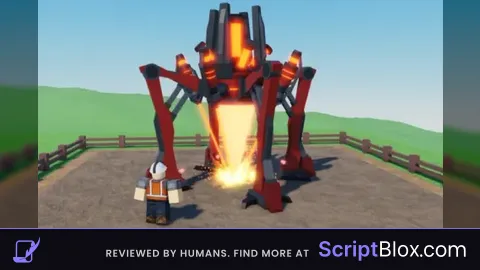
OP auto collect set rate spam
 literallymymail1234 1 year ago 3.3K views
Run it
Copy the script and paste it into your executor.
OP auto collect set rate spam.lua · 80 lines
-- Boot Rayfield
local Rayfield = loadstring(game:HttpGet('https://sirius.menu/rayfield'))()
-- Create main window
local Window = Rayfield:CreateWindow({
    Name = "Untitled Drill Game auto harvester",
    LoadingTitle = "Harvester loading",
    LoadingSubtitle = "by Literallymymail",
    ConfigurationSaving = { Enabled = true, FolderName = , FileName =  },
    KeySystem =
})

 Tab = Window:(, )
 Section = Tab:()


 keyOptions = {}
 _, key  (.KeyCode:())
    .(keyOptions, key.Name)

 selectedKey =
Tab:({
    Name = ,
    Options = keyOptions,
    CurrentOption = {selectedKey},
    MultipleOptions = ,
    Flag = ,
    Callback = (option)
        selectedKey = option[]
    ,
})


 spamRate =
Tab:({
    Name = ,
    Range = {, },
    Increment = ,
    Suffix = ,
    CurrentValue = spamRate,
    Flag = ,
    Callback = (value)
        spamRate = value
    ,
})


Tab:()


 UserInputService = :()
 RunService = :()
 VirtualInputManager = :()
 spamEnabled =
 lastSpam =


UserInputService.InputBegan:((input, gp)
     gp
     input.KeyCode == .KeyCode.T  UserInputService:(.KeyCode.LeftControl)
        spamEnabled =  spamEnabled
        Rayfield:({
            Title = ,
            Content =  .. (spamEnabled    ),
            Duration = ,
            Image = ,
            Actions = {}
        })

)


RunService.RenderStepped:((dt)
     spamEnabled  () - lastSpam >= spamRate
        lastSpam = ()
         kc = .KeyCode[selectedKey]
        VirtualInputManager:(, kc, , )
        VirtualInputManager:(, kc, , )

)
Loads code from the internet. It downloads more code when it runs (loadstring + HttpGet), which can change after it was posted. From: sirius.menu.
About this script
Auto collect but the collect button must be in view of the player. Control+T to toggle